Product tour

Every screen of the human surface, at both widths in both themes

Every screen of the human surface, captured from a seeded hub with dummy data at 1440x900 and 390x844 in both themes. Each pair follows your colour scheme. The captures are a committed artifact: the capture-wiki-screenshots skill refreshes them when a screen changes, and each is looked at before it lands. The pages under Guides explain what each screen does.

Home and the shell

Home, desktop
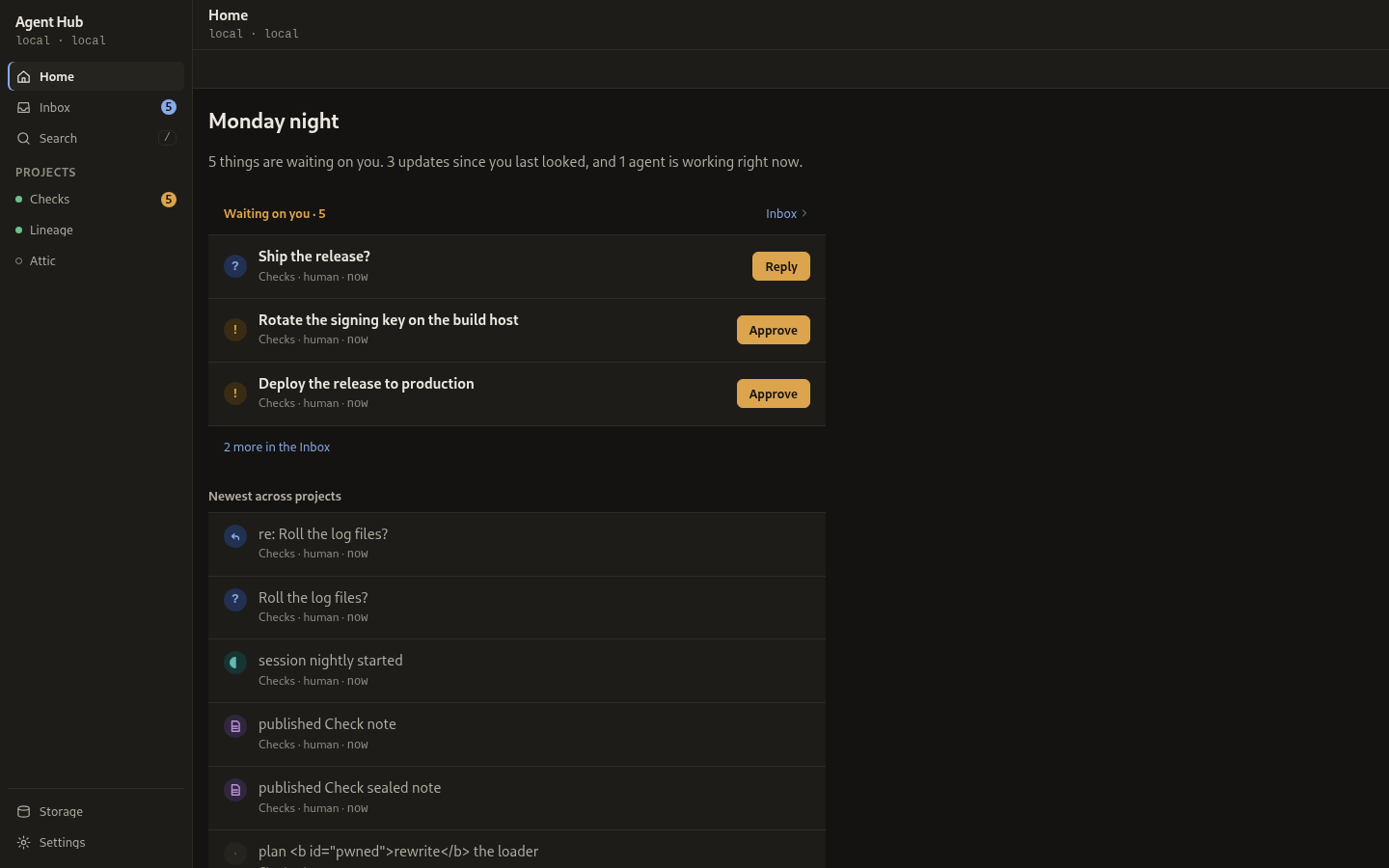
Home: what waits on you, the newest events across projects, and storage at a glance.

Home, phone

Home: what waits on you, the newest events across projects, and storage at a glance.

The inbox

Inbox, desktop

The global inbox, grouped into waiting, unread and earlier.

Inbox, phone

The global inbox, grouped into waiting, unread and earlier.

An open inbox item, desktop

One inbox item open in the stage, with its question and its answer.

An open inbox item, phone

One inbox item open in the stage, with its question and its answer.

Projects and the feed

Projects, desktop

The project list, each row carrying its live counts.

Projects, phone

The project list, each row carrying its live counts.

Project feed, desktop

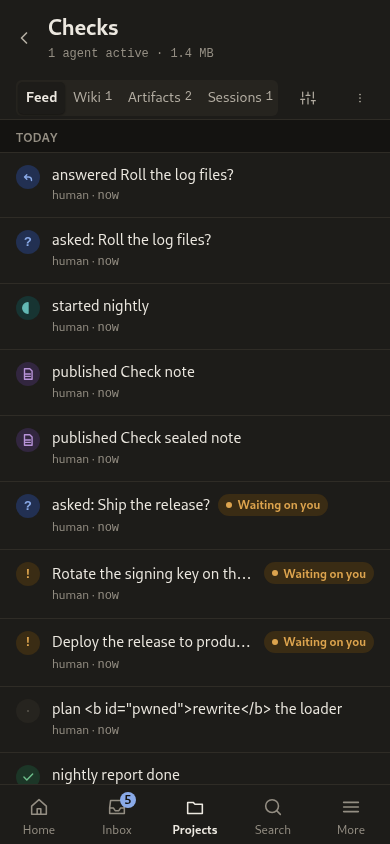
A project feed, day-grouped with kind badges.

Project feed, phone

A project feed, day-grouped with kind badges.

Sessions and brains

Sessions, desktop

The sessions index, grouped by project, with owners and handoffs.

Sessions, phone

The sessions index, grouped by project, with owners and handoffs.

Session detail, desktop

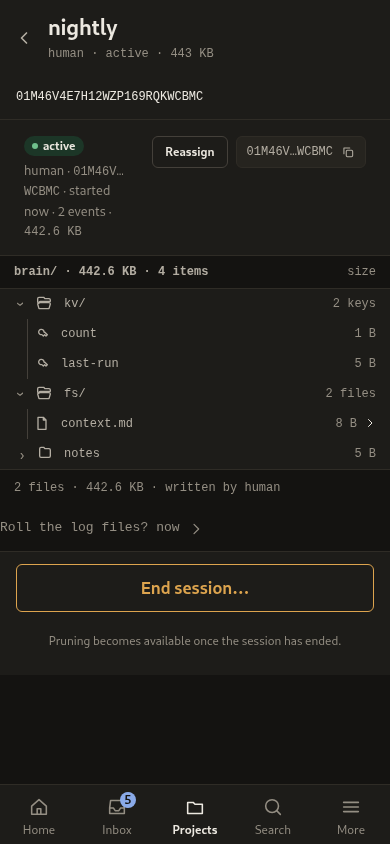
The session detail: the brain tree, the handoff note and the lineage.

Session detail, phone

The session detail: the brain tree, the handoff note and the lineage.

Artifacts

Artifacts, desktop

The artifact index, with the newest artifact open and its comments in the aside.

Artifacts, phone

The artifact index, with the newest artifact open and its comments in the aside.

A sealed artifact, desktop

A sealed artifact opened by its address, showing the password gate.

A sealed artifact, phone

A sealed artifact opened by its address, showing the password gate.

The knowledge base and its wiki

Project wiki, desktop

A project wiki with its page tree.

Project wiki, phone

A project wiki with its page tree.

A knowledge base page, desktop

A knowledge base page read in the wiki.

A knowledge base page, phone

A knowledge base page read in the wiki.

The wiki editor, desktop

The wiki editor, its path field and its Save.

A page's history, desktop

A page's version history, one row per version.

A version diff, desktop

A version diff, with the change the writer made.

A version diff, phone

A version diff, with the change the writer made.

Search, desktop

Search results, grouped by family.

Search, phone

Search results, grouped by family.

Storage and pruning

Storage, desktop

Storage: the stacked bars and the prune review.

Storage, phone

Storage: the stacked bars and the prune review.

Settings and access

Settings, desktop

Settings, its rows under quiet group labels.

Settings, phone

Settings, its rows under quiet group labels.

Access and tokens, desktop

Access: the agents, their tokens and their grants.

Access and tokens, phone

Access: the agents, their tokens and their grants.

Connect an agent, desktop

The connect screen, with the MCP address and the bootstrap guide.

Connect an agent, phone

The connect screen, with the MCP address and the bootstrap guide.

More, phone

The phone's More sheet, holding the destinations the tab bar does not.

Dialogs

New project, desktop

New project: the name and the slug it will use.

New project, phone

New project: the name and the slug it will use.

Delete a project, desktop

Delete a project, behind a typed confirmation.

Delete a project, phone

Delete a project, behind a typed confirmation.

End a session, desktop

End a session, with the pruning note under it.

End a session, phone

End a session, with the pruning note under it.

Prune, desktop

Prune, reviewing the bytes it would delete.

Prune, phone

Prune, reviewing the bytes it would delete.

Issue a token, desktop

Issue a token, revealing it once. Reachable at the desktop width only.

Revert, desktop

Revert, showing the version a revert would put back.

Revert, phone

Revert, showing the version a revert would put back.